
LOOPHOLE
A downloadable tool for Android
LOOPHOLE
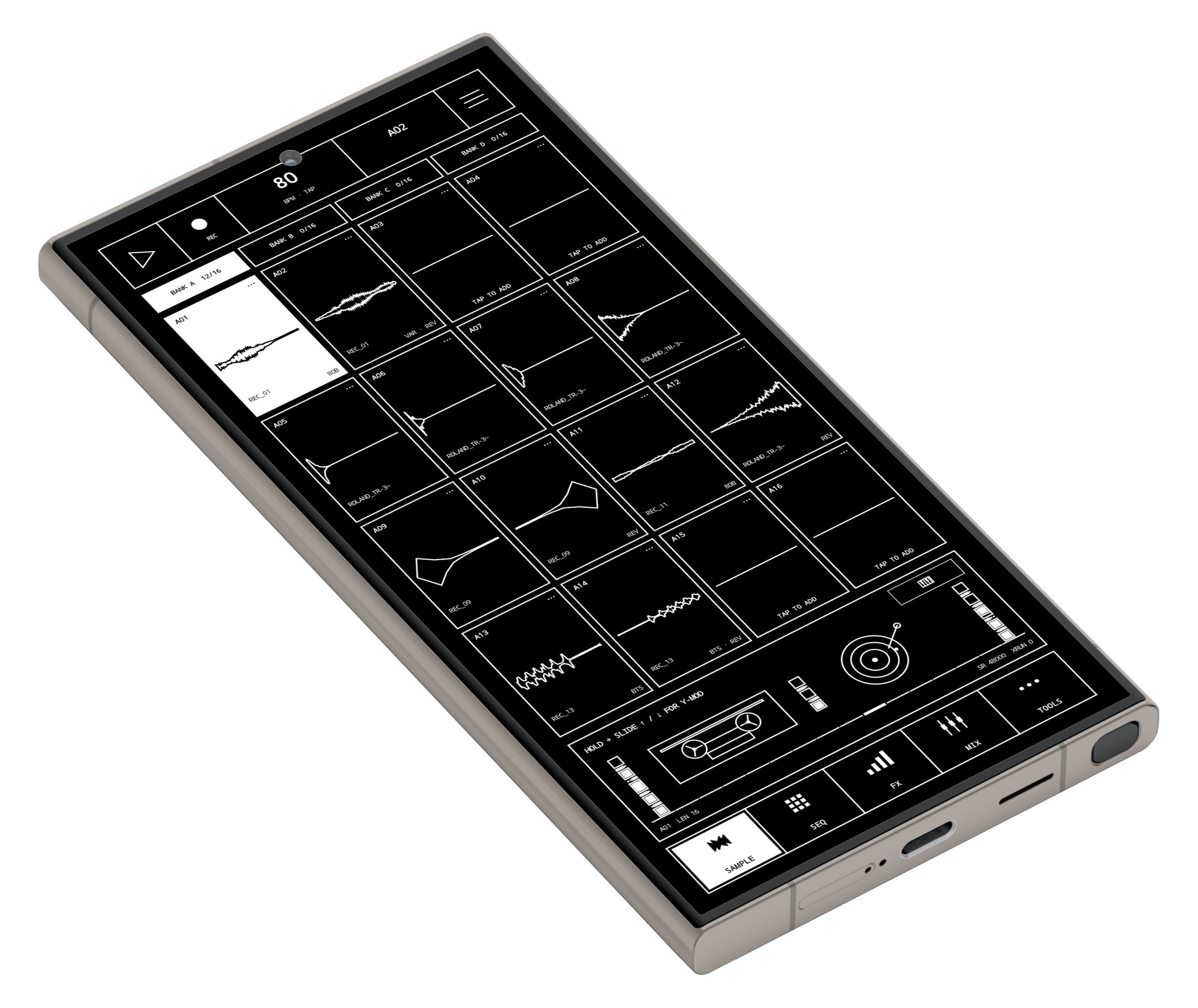
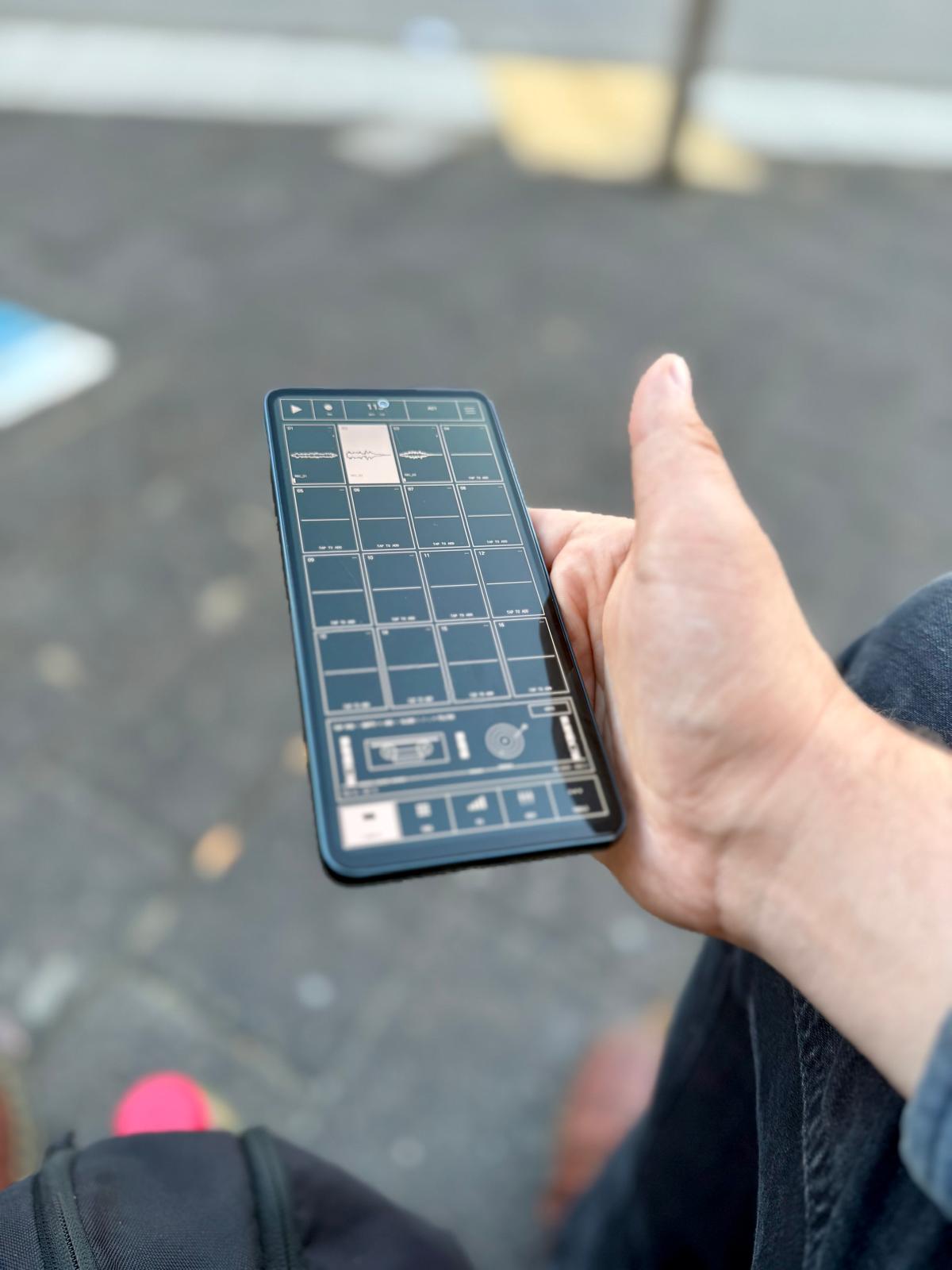
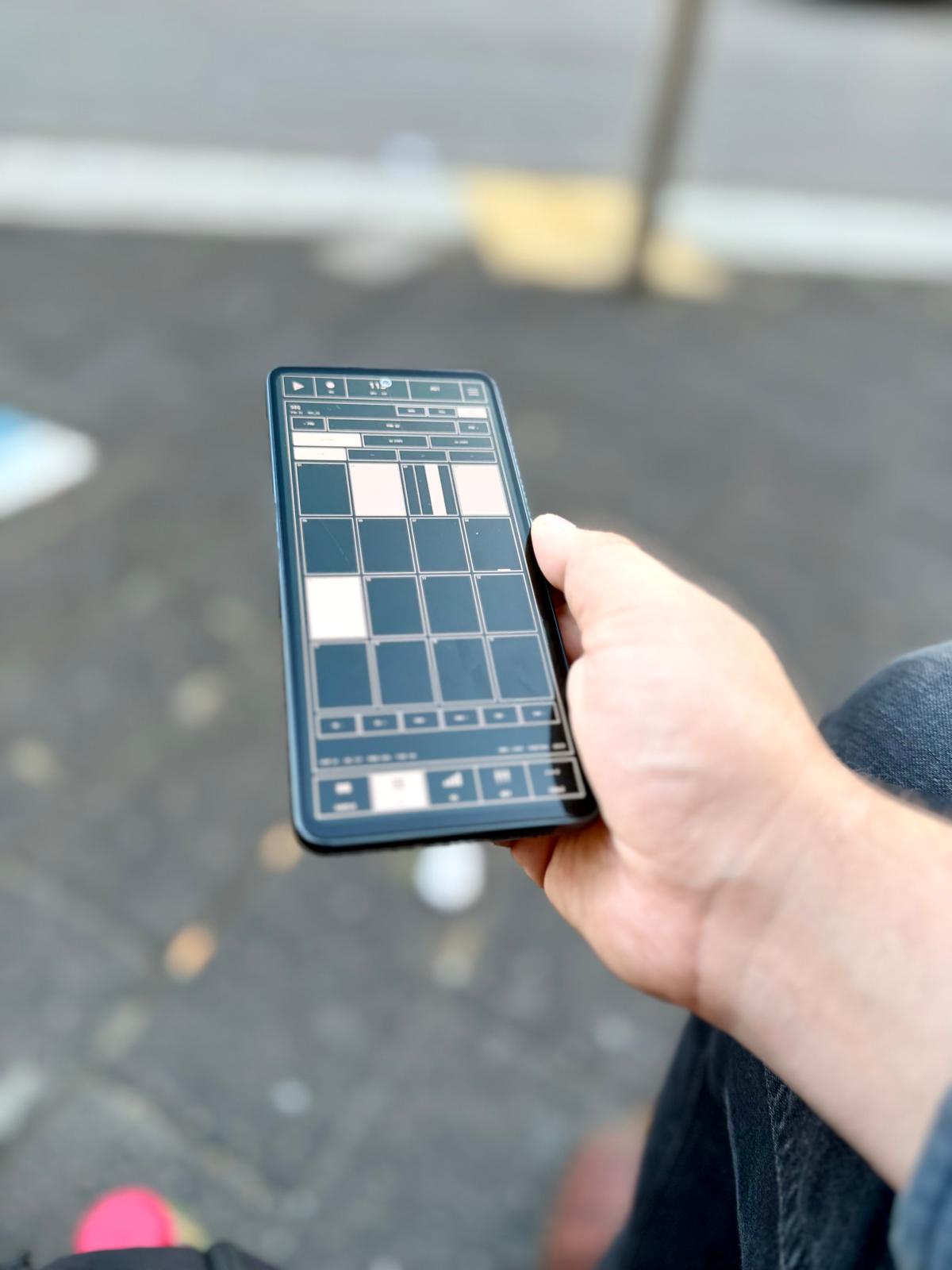
LOOPHOLE is a sampler, sequencer and live performance workstation for Android. It is made for producers, beatmakers, musicians and sound designers who want to record, chop, sequence and finish ideas without needing a laptop.
Banks A-D give you 64 sample slots. Bank E adds another 16 slots for FORM synth patches. From there you can build patterns, play samples chromatically, create synth sounds, resample, split stems, control MIDI gear, perform with live FX and export the result.
A sampler first
The main part of LOOPHOLE is still the sampler. Record straight into a pad with your phone or audio interface, import WAV and AIFF files, bulk import samples, grab audio from a video or browse samples from inside the app.
Each sample can be trimmed, cropped, faded, normalized, reversed, tuned and looped. Pads support One Shot, Gate and Loop playback, gain, pan, filtering, choke groups, self-choke, Delay/Reverb sends and bus routing.
Pitch can be changed without changing the length of the sample, or you can use Varispeed for classic sampler-style pitch and speed changes. Clean, Beats and Vintage modes give you different options for pitched and time-stretched material.
Loops can run Forward or Ping-Pong, with adjustable loop crossfades. LOOPHOLE can also detect the BPM of a loop and fit it to the project tempo while keeping the pitch intact.
Recording & import
- Record directly to a pad.
- Hold an empty pad to quickly record into it.
- WAV and AIFF import.
- Bulk sample import.
- Built-in Sample Browser.
- Extract audio from video files.
- Choose the audio input and monitor the incoming signal.
- Adjust input gain and monitoring level.
- Optional threshold-triggered recording.
- Adjustable pre-roll.
- Multi Rec lets you continue recording across multiple pads.
- Recording FX: Low Cut, Compressor, Drive, High Cut, Gate, Limiter, Crush and Tape.
Sample editor & pad tools
- Full waveform editor.
- Start, End, Loop Start and Loop End markers.
- Non-destructive trimming.
- Crop to permanently commit a region.
- Fade In and Fade Out.
- Normalize and Reverse.
- Pinch zoom and horizontal scrolling.
- Undo and Redo.
- Per-pad Gain and Pan.
- Rename samples and pads.
- Copy, Paste, Duplicate, Move and Swap pads.
- Merge two samples together.
- Append one sample to another.
- Bounce edited audio to a new pad while keeping the original.
WORM
WORM takes an existing sample and turns it into a new playable loop. The original sample stays untouched.
- Chop Size.
- Density.
- Chaos.
- Smoothness.
- Random slicing or a fixed slice count from 2 to 64.
- Seed-based variations.
- Chance of reversed slices.
- Tone.
- Drive.
- Chorus.
- Space.
- Root note and pitch controls.
- Play WORM chromatically before committing it.
- Freeze the result directly to an empty pad in banks A-D.
FORM synthesizer & Bank E
FORM is the built-in draw-your-own-waveform synth in LOOPHOLE. Draw a waveform and play it immediately.
- 16 dedicated FORM patch slots in Bank E.
- Draw, smooth and normalize your own waveform.
- Amp ADSR.
- Velocity-to-amplitude control.
- Filter with Cutoff, Resonance, Drive and its own envelope.
- Velocity-to-filter control.
- Two LFOs with sync, rate, depth and selectable targets.
- Mono and Legato modes.
- Glide.
- Up to 5 Unison voices.
- Detune and Stereo Spread.
- Sub oscillator and Noise.
- Transpose and Fine Tune.
- Delay/Reverb sends and bus routing.
- Save, edit, duplicate and delete FORM patches.
- FORM patches can be played, sequenced and mixed directly from Bank E.
- Freeze a FORM sound to a normal sample pad whenever you want.
Chopping & slicing
- Manual slice markers.
- Auto Slice by transients.
- Auto Slice by beats.
- Auto Slice by equal divisions.
- Auto Slice by gaps/silence.
- Adjustable sensitivity and minimum slice length.
- Lazy Chop: play the sample and tap in slice points live.
- Send slices directly to pads.
- Forward, Next, Random and Ping-Pong chop playback.
- Slice PlayThru lets playback continue beyond the next slice marker.
- Export slices as separate files.
Multisamples, tuning & keyboard
- Build multisampled instruments with up to 16 zones.
- Assign a root note to each zone.
- The closest source sample is selected automatically when playing.
- Automatic root-note detection with confidence readout.
- Set a Target Root and use Tune Root to retune a sample.
- Play samples and multisamples chromatically from the built-in keyboard.
- Multitouch keyboard input.
- Y-axis modulation while playing.
- 43 scales and modes.
- Scale Guide shows which notes belong to the selected scale.
- Force It moves played notes into the active scale.
- Octave controls.
Sequencer, Tracker & Piano Roll
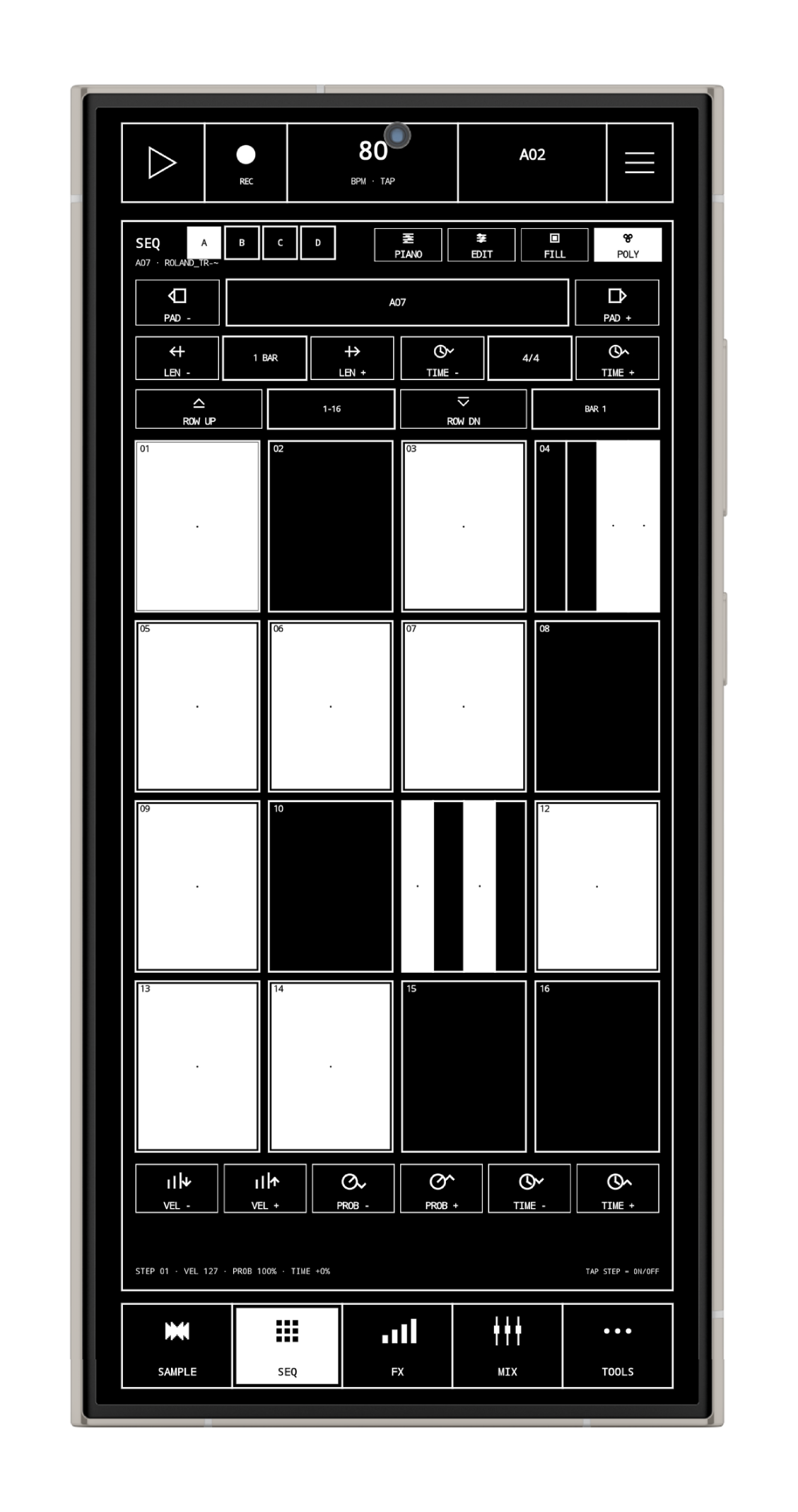
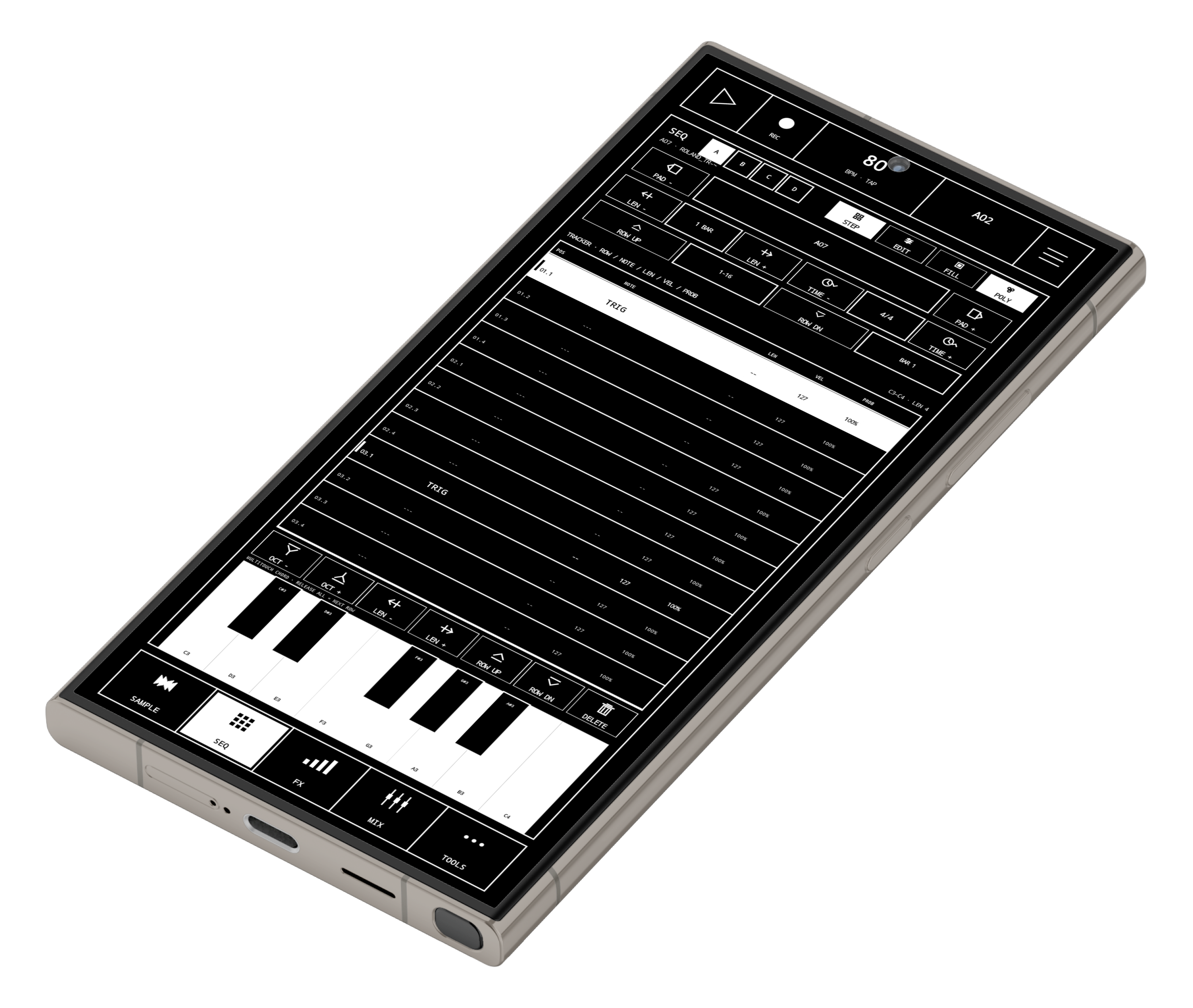
The Step Sequencer, Tracker and Piano Roll all edit the same pattern. Switch views without rebuilding anything.
- Patterns up to 320 steps long.
- 3/4, 4/4, 5/4, 6/8 and 7/8 time signatures.
- Polyphonic sequencing with chords.
- Up to 8 notes on a single sequencer position.
- Individual note lengths.
- Velocity.
- Probability.
- Microtiming.
- Swing.
- Per-track Humanize.
- Accents.
- Ratchets.
- Conditional triggers: ALWAYS, 1:2, 2:2, 1:4, 2:4, 3:4, 4:4, PRE, NOT PRE, FILL and NOT FILL.
- Parameter locks for Pitch, Sample Start, Sample Length, Pan and Reverse.
- Y-MOD automation.
- Probability and Microtiming editing directly in the Piano Roll.
Piano Roll editing
- Draw notes directly into the grid.
- Drag notes to move them.
- Resize notes from either edge.
- Multi-select individual notes.
- Drag a box around multiple notes.
- Select All and Clear Selection.
- Copy, Paste and Duplicate notes.
- Quantize a selection or the complete pattern.
- Legato.
- Reverse note order.
- Velocity editing.
- Half/Double Time.
- Half/Double note length.
Patterns, Chains & Song Mode
- 16 pattern slots per pattern bank.
- Create, Duplicate, Rename, Save, Load, Copy, Paste and Clear patterns.
- Mix one pattern into another.
- Append a pattern to the end of another pattern.
- Launch patterns while playback is running.
- Pattern launches can happen Immediately, on the next Beat, next Bar or at Pattern End.
- 8 Chains with up to 16 pattern positions each.
- Song Mode can arrange up to 16 Chains.
- Song playback loops after the final used Song position.
- Hold the transport Play button for quick access to Song Mode and Chains.
Live recording & arpeggiator
- Record pad and keyboard performances straight into a pattern.
- Record chords and note velocity.
- Metronome.
- 1 or 2 bar Count-In.
- Tap Tempo.
- Drag the BPM control left/right for quick tempo changes.
- Built-in arpeggiator.
- Multiple Arp modes and rates.
- 1-4 octave range.
- Adjustable Gate.
- Latch mode.
- Arpeggiator output can be recorded into the sequencer.
FX & Performance Mode
Normal pad processing includes Filter, Delay and Reverb. Performance Mode is for effects you want to play live.
The 16 Performance FX are: Stutter, Tape Stop, Reverse, Filter, Pitch, Bit Crush, Gate, Delay Throw, Reverb Throw, Repeat, Comb, Ring Mod, Flanger, Formant, Isolator and Transient.
- Multitouch Performance FX.
- 8 Performance Scenes.
- Tap a Scene to recall it.
- Hold a Scene to store the current FX setup.
- HOLD can latch live effects after you release your finger.
- Performance Mode does not stop normal pattern playback.
Mixer & routing
- Mixer control for sample banks A-D and FORM Bank E.
- Level and Pan.
- Mute and Solo.
- Delay and Reverb sends.
- Four internal buses.
- Four insert slots on every bus.
- Four insert slots on the Master.
- Master Gain and Limiter.
- Low Cut and High Cut.
- Compression.
- Drive.
- Gate.
- Bit Crush.
- Stereo Width.
- EQ.
- Clipper.
- Chorus.
- Phaser.
- AutoPan.
- Mono processing.
- Sidechain compression routes.
Resampling & Live Export
- Resample the Master or an individual Pad/Track.
- Free-length recording or 1, 2, 4 and 8 bar captures.
- Optional synced start.
- Automatically use the next free sample slot.
- Manual target selection is also available.
- Hide the Resample window and keep performing while it records.
- The finished recording is installed directly as a new sample.
Live Export records the actual Master output while you perform. That includes Performance Mode FX and anything else happening in the live output.
- WAV or AIFF.
- 16, 24 or 32-bit.
- Arm Live Export, press Play, perform, then stop to save the recording.
Offline stem separation
Split audio into Vocals, Drums, Bass and Other directly inside LOOPHOLE. The processing runs locally on the device.
- Quality 3.0 mode for the best result.
- Fast / Low Memory mode for quicker processing and weaker devices.
- Send one selected stem to an empty pad.
- Send all four stems to separate pads.
- Auto-slice a stem and spread the slices across pads.
- Auto-slice a stem and turn the pieces into a multisampled instrument.
- Stem separation can be cancelled while processing.
MIDI & external hardware
- USB MIDI.
- Bluetooth MIDI.
- Selectable MIDI input and output devices.
- MIDI Clock In and Out.
- MIDI Start, Stop and Continue.
- MIDI Song Position support.
- MIDI Learn.
- CC mapping for Pad Gain, Pan, Filter Cutoff, Delay Send, Reverb Send, Pitch and Master Gain.
- Pad mode or chromatic MIDI input.
- Individual pads can act as MIDI-only tracks without a loaded sample.
- Per-track MIDI channel.
- Follow Played Note or Fixed Note output.
- Per-track transpose.
- Y-MOD can be sent as a MIDI CC.
- The sequencer can control external MIDI gear.
Sample, Stem & Master export
Sample Export
- Export the current sample, selected samples or all sample banks.
- WAV or AIFF.
- 16, 24 or 32-bit.
- Export the original sample or render the current edits.
- Export full samples or individual slices.
- Multisample export.
- Export to a folder or a ZIP.
Stem Export
- Current, selected or all pad stems.
- Pattern, Chain or Song range.
- Optional Delay return, Reverb return and Master files.
- WAV or AIFF, 16/24/32-bit.
- Folder or ZIP output.
- All stems start from the same position for easy DAW import.
Master Export
- Pattern, Chain or complete Song.
- Offline rendering.
- WAV or AIFF, 16/24/32-bit.
- Optional Master Limiter.
- 0, 1, 2 or 4 bars of FX tail.
DEADLINE export WIP
LOOPHOLE can create a native DEADLINE project instead of only exporting audio.
Sample and sequence data can move from the Android project into DEADLINE, including tracks, patterns, notes, chords, note lengths, velocity, timing, probability, microtiming, parameter locks, Y-MOD automation, MIDI routing and arrangement information.
An idea can start on your phone and continue as an editable DEADLINE project on your computer.
Projects & Project Library
- Dedicated .loophole project format.
- Samples are stored with the project.
- New Project.
- Save and Save As.
- Load Project.
- Recent Projects.
- Project Templates.
- Save As Template.
- Autosave.
- Manual autosave recovery.
- Crash recovery.
- Project-wide Undo and Redo.
The Project Library can also open existing LOOPHOLE projects without replacing the project you are currently working on.
- Preview samples from another project.
- Import individual samples/pads.
- Import complete banks.
- Import patterns.
Audio engine & settings
Playback, sequencing and timing run in the native audio engine. The sequencer follows the audio clock instead of relying on Android screen or UI timers.
- Selectable audio output.
- Selectable audio input.
- Sample-rate settings.
- Buffer-size settings.
- Latency settings.
- Audio XRUN/underrun diagnostics.
- System Check for the current audio, device and MIDI setup.
- Panic / All Notes Off.
The audio and project code has also gone through several performance passes for weaker Android devices, including lower idle DSP work, more efficient voice processing, better buffer handling and less blocking while large projects are being saved.
Appearance
The controls stay compact and hardware-like, but V8 lets you choose the colours you actually want to use.
V8B includes 12 colour schemes:
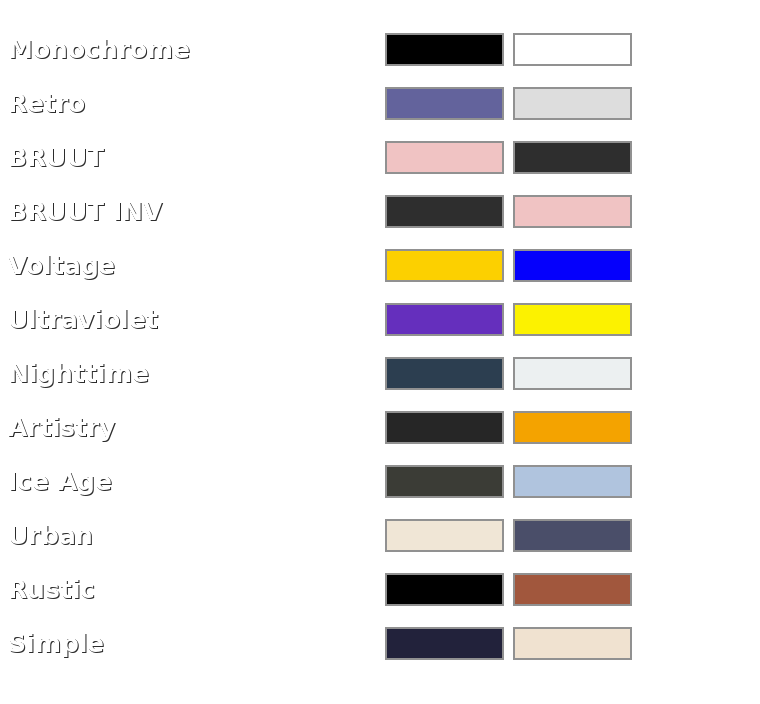
The selected scheme applies across the complete app and is remembered separately from your projects.
Why LOOPHOLE?
LOOPHOLE is not a desktop DAW squeezed onto a phone. The main screen stays focused on pads, sequencing, mixing and playing.
You can record a sound, chop it, tune it, make an instrument out of it, sequence it, process it, resample it and export it without jumping between different apps.
WORM and FORM give you ways to make completely new sounds, while MIDI, stem splitting, Song Mode and the export tools mean the same app can also handle much larger ideas.
It can be a quick sketchpad, a drum sampler, a chromatic instrument, a sequencer for external gear or the main piece of a small mobile setup.
LOOPHOLE is a complete sampler and music workstation that fits in your pocket.
Simple when you want it to be. Deep when you need it to be.
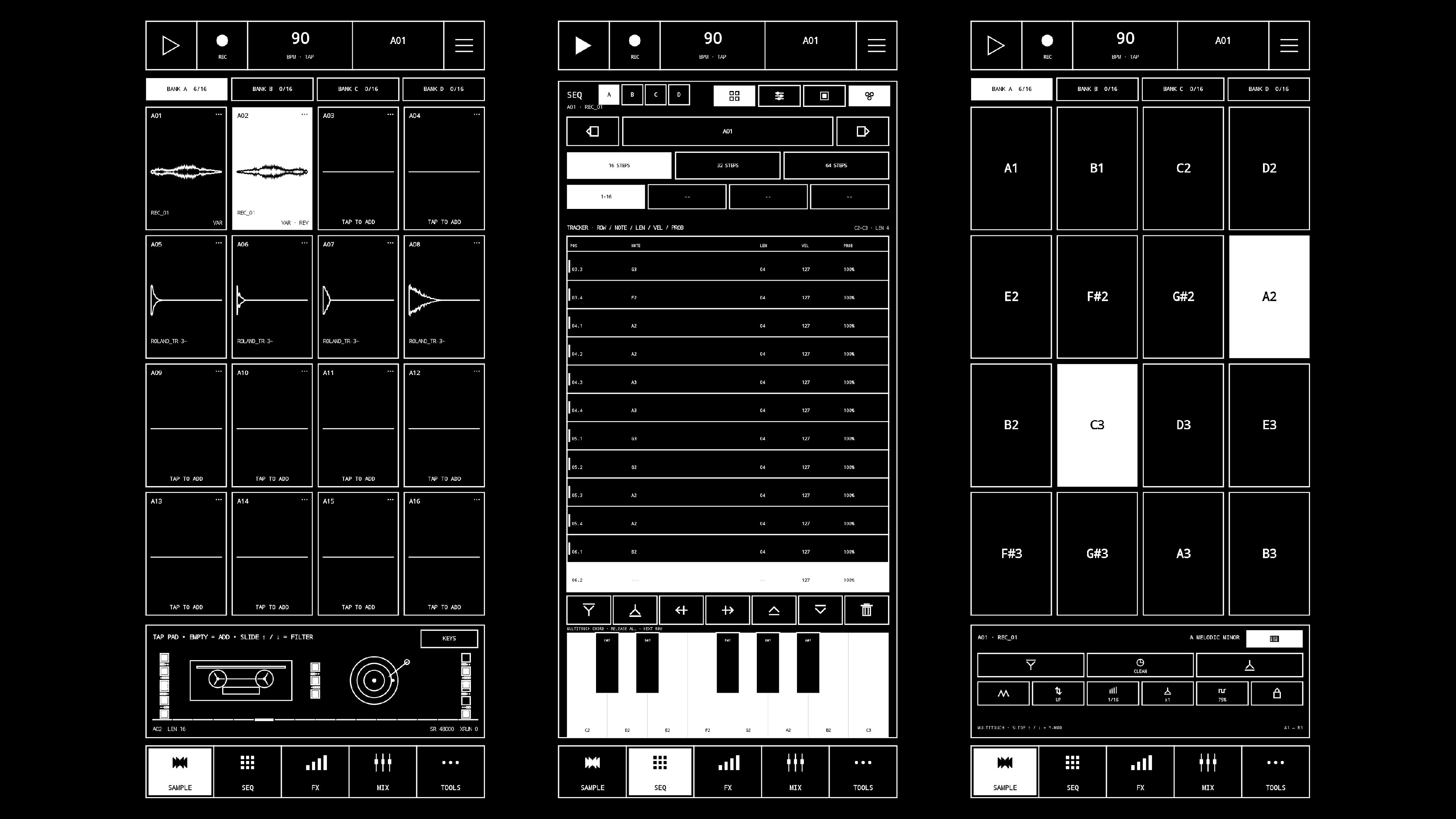
As a little extra, you can also download SPLIT, an offline stem splitter.
And STRYCH9, a tracker-based sampler app!
Purchase
In order to download this tool you must purchase it at or above the minimum price of 10.99€ EUR. You will get access to the following files:
Download demo
Leave a comment
Log in with itch.io to leave a comment.